30 Flutter Tips| FT30: Persistent Bottom Navigation Bar In Flutter

Flutter Tips 30 of #30FlutterTips With LakshydeepVikram series which had explored to keep a bottom navigation bar constant in all screens in Flutter.
You can search for #30FlutterTips for more. If you like this series, please don’t forget to share with #30FlutterTips tag.
FT30: Persistent Bottom Navigation Bar In Flutter
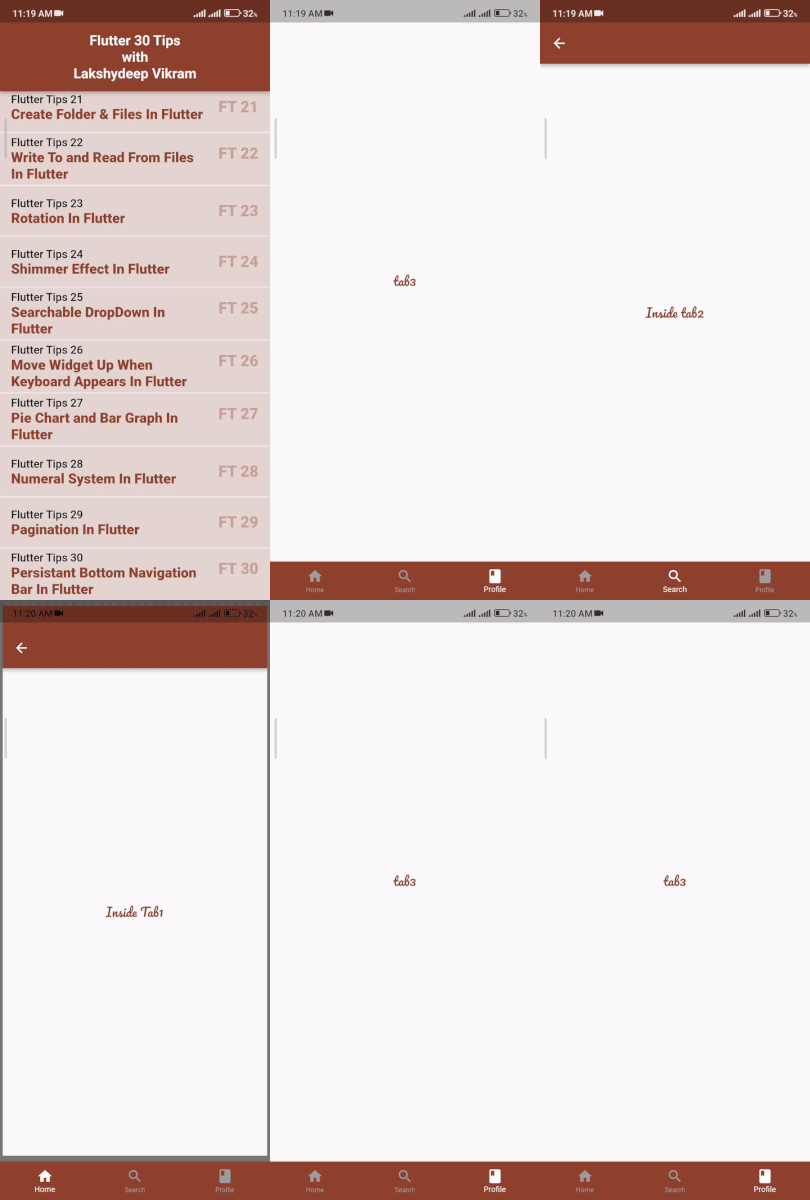
This is all about keeping the bottom navigation bar persistent in all the screens.
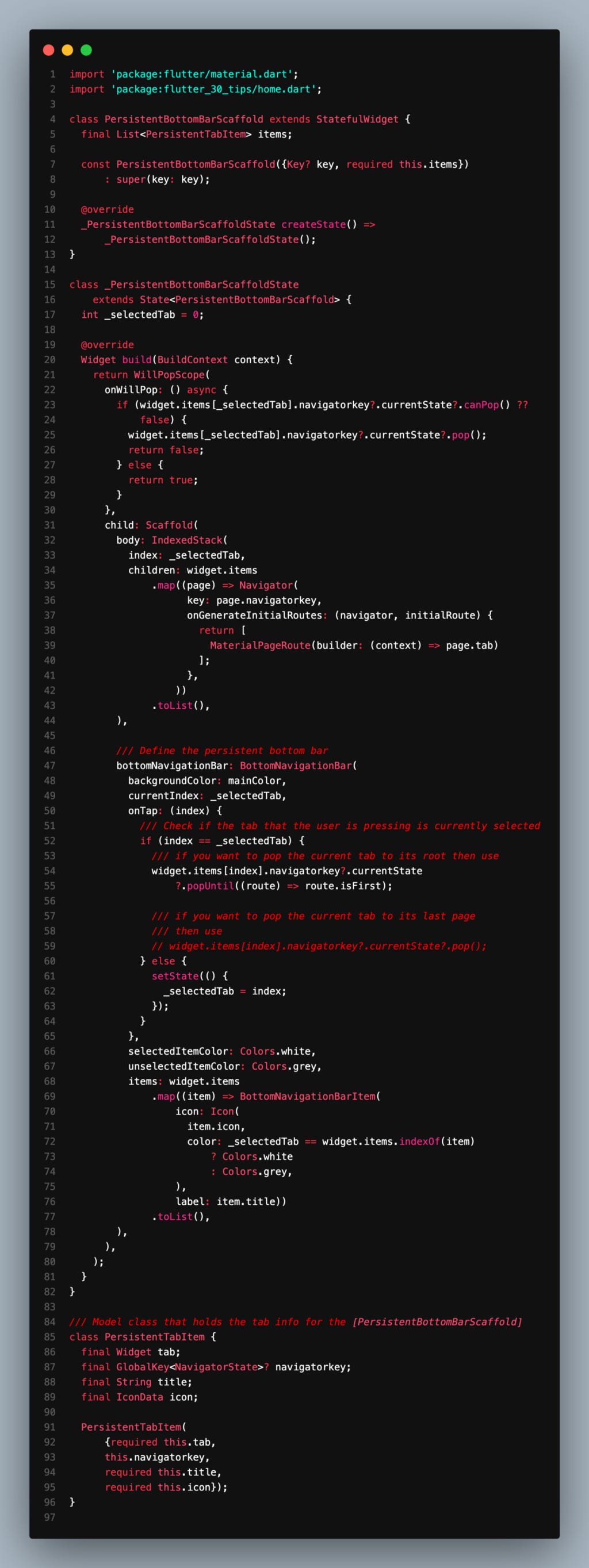
For this you need to define the same navigation key and the stacked navigation.
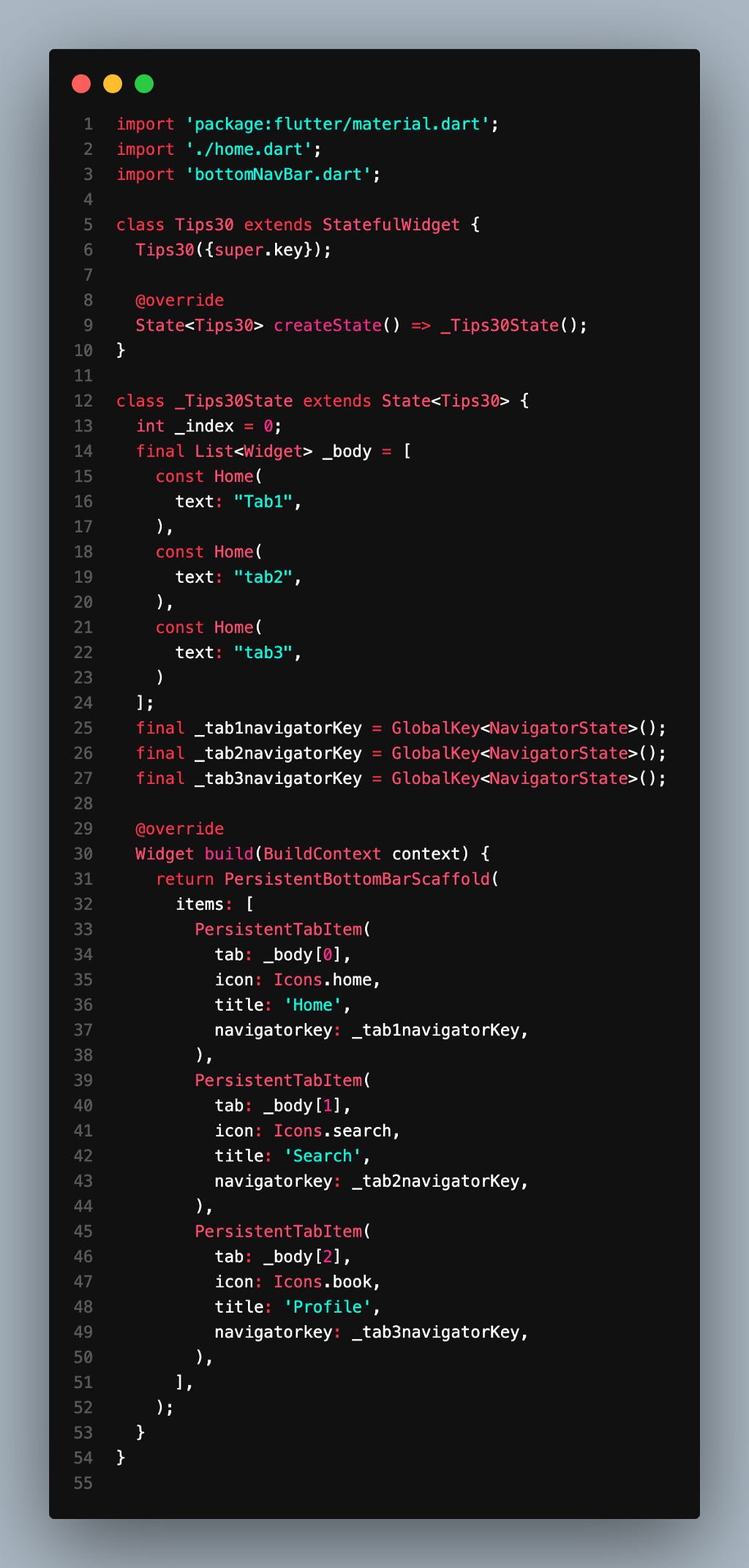
We can use it like this way:
PersistentTabItem is defined below:
The whole code had been uploaded here:
GitHub - lakshydeep-14/30FlutterTips: 30 Flutter Tips with Lakshydeep Vikram 30 days in a row.
You can also check YouTube videos and shorts here:
You can buy a book as well:
Make Yourself the Software Developer: Let's Dive Into Flutter & MNCs
Stay Tuned.
Any feedback will be appreciated.
Share with the tag: #30FlutterTips
Let me know some topics you want me to write.
LinkedIN | GitHub | Google DevLibrary | YouTube
Stay in touch for more Flutter tips.
Thanks.